
Real business attachments
PDF, Word, Excel, PPTX, OFD, Typst, CAD, DWF, PSD, Mermaid, PlantUML, and nested archive preview are maintained as focused modules.
Flyfish Viewer is browser-side file preview infrastructure for business applications, without server-side conversion. It covers office documents, engineering drawings, archives, email, ebooks, code, images, media, and structured data. This documentation connects the capability matrix, integration paths, modular boundaries, offline deployment, and production validation in one place.
Renderers, workers, WASM, fonts, and offline vendor assets load by file type, keeping the first script lean even for full-format pages.
From format detection, rendering orchestration, asset loading, and user interaction to deployment, Flyfish Viewer splits complex preview behavior into controlled, testable, and upgradeable capability modules.
PDF, Word, Excel, PPTX, OFD, Typst, CAD, DWF, PSD, Mermaid, PlantUML, and nested archive preview are maintained as focused modules.
Renderers, workers, WASM, fonts, and vendor assets are layered so the full IIFE entry does not push every capability into the first script.
Search, zoom, print, export, download, watermark, toolbar permissions, and lifecycle hooks stay consistent across preview pipelines.
Web Component / IIFE entries default to Shadow DOM. Framework packages can opt in with styleIsolation, then customize through tokens and ::part().
Worker, WASM, and font assets can be self-hosted with Docker, static hosting, Cloudflare Pages, release packages, and private CDNs.
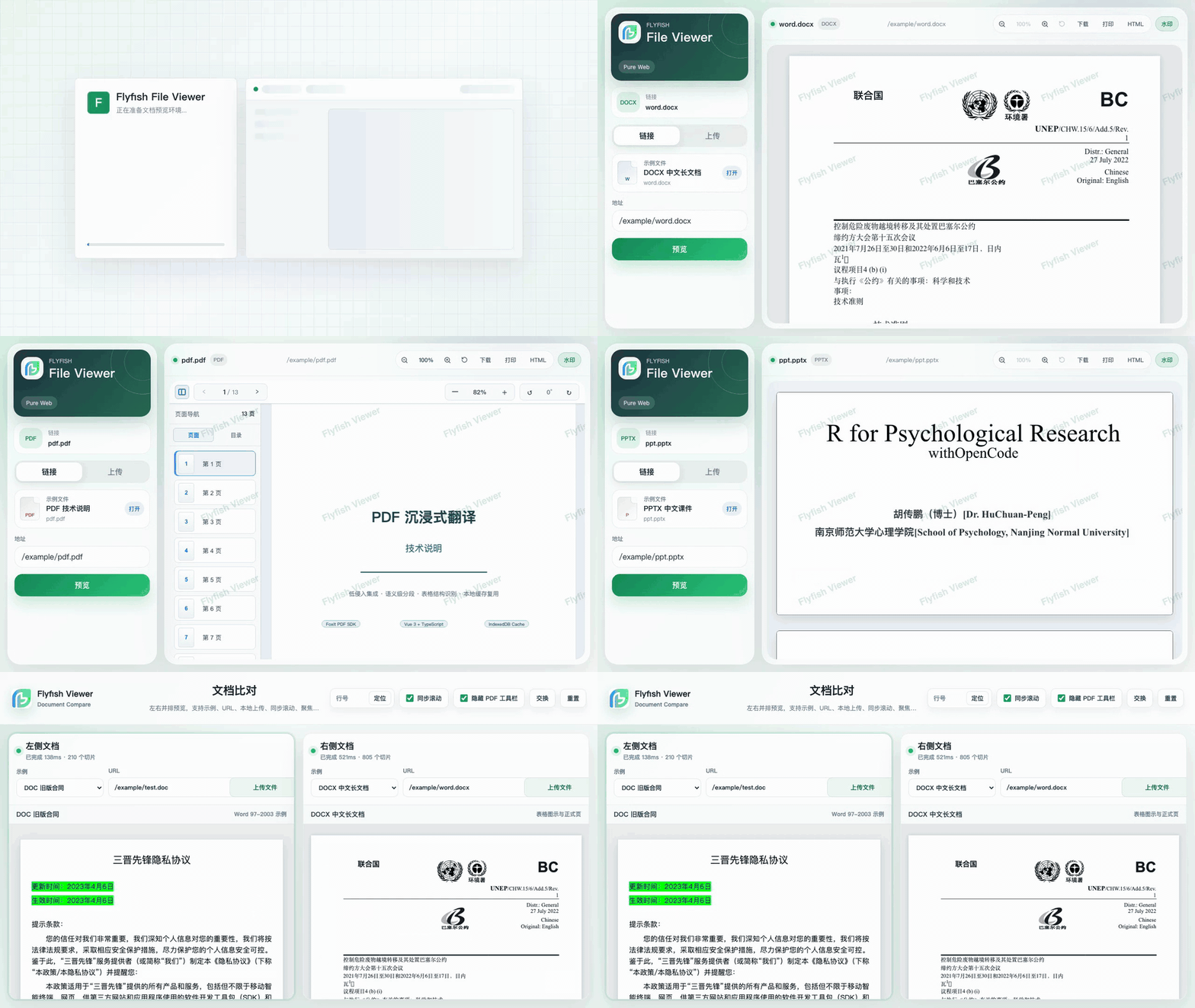
The demo uses real samples, lazy renderers, responsive controls, document comparison, and offline asset paths that mirror production deployment.
Production apps should start from the native component package, then add the smallest preset or renderer set that matches the product. preset-all is complete, but intentionally heavier.
Images, text, Markdown, code, and common media files.
PDF, Word, Excel, PowerPoint, OFD, RTF, and OpenDocument workflows.
CAD, EDA, 3D, geospatial, drawing, and structured engineering assets.
Use for full-format workbenches and release validation. Evaluate size before using in business pages.
@file-viewer/vue3, @file-viewer/react, or @file-viewer/web is the lightest integration path, but it does not include every renderer. Add the preset or renderer package for the formats you need. @file-viewer/preset-all, keep the same fileViewerRenderers({ copyAssets:true }) config, and get the complete official demo capability set immediately. pnpm add @file-viewer/vue3 @file-viewer/preset-all
pnpm add -D @file-viewer/vite-plugin # optional for ViteEvery package shares the same core capabilities, options, events, search, zoom, print, export, and lifecycle hooks while keeping framework-native ergonomics.
$(el).fileViewer(options) in traditional admin systems.Heavy parsers, workers, WASM files, and offline vendor assets load only when the active file type needs them.
Docs, demo, official site, npm packages, Docker images, GitHub source aggregation, and release artifacts are maintained together. For higher fidelity and extreme performance, follow the official site to the commercial native document engine.